
re1
Spatial memory for physical AI. Return to an observation, inspect its source video and reconstruct the place for simulation.
In development. Technical previews available.
re1 / From observation to reuse
Captured experience
Video · camera identity · timeFind the momentRetrieve likely intervals and inspect the source video
Recover the placeRevisit an environment and inspect its objects
What it does
Revisit an observation
Retrieve video moments, verify source clips and see which parts of a recording were inspected.
Reconstruct a place
Return to a captured environment, explore another viewpoint and inspect individual objects.
Prepare a simulation
Carry captured environments into simulation workflows for further inspection and testing.
re1 is the spatial memory system we are building for physical AI. It keeps observations available after the original session: a query can return to a moment, a researcher can inspect the source, and a reconstruction can be reused for simulation.
Recorded experience should remain useful as an experiment changes. A new question may call for an earlier observation; a new trial may need the same environment. re1 brings those records and places back into reach.
A memory that keeps its sources
re1 / Spatial memory
Search a recording. Check the answer. Revisit the place.
01 / Retrieve
Find the observation you need.
A search for machines handling packages indoors returns warehouse and robot-arm recordings. Open a match to inspect the source.
Query → recorded observationsProduct captureMachines handling packages indoors
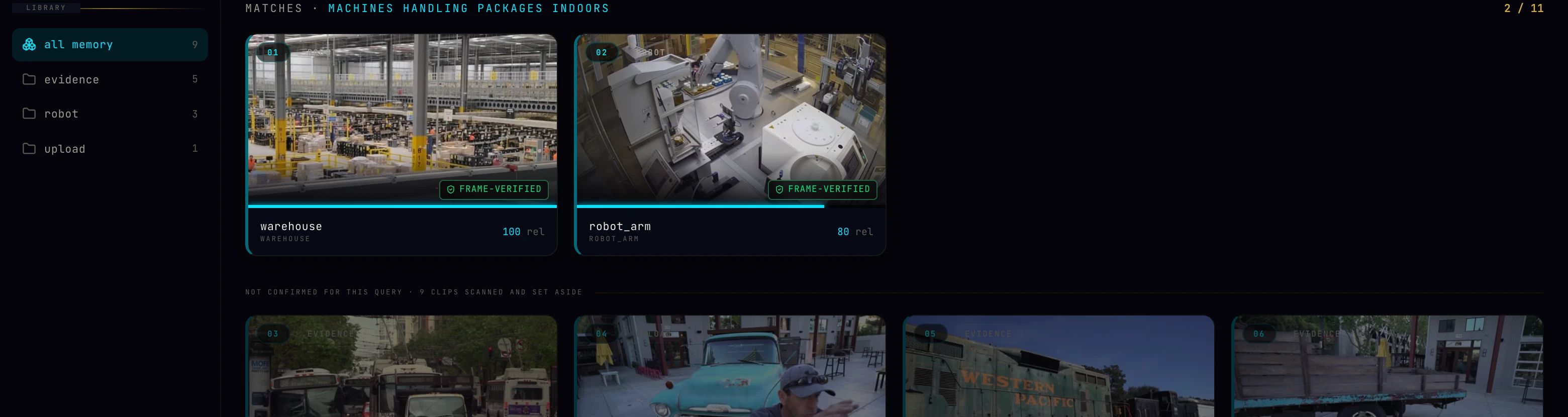 SearchOpenInspect
Actual search results. Open the image to inspect the original interface. 02 / Inspect
Follow an answer back to its source.
The captured answer cites 0:12–0:20 of the warehouse recording. The reader can open that interval and check the description against the video.
Answer → inspected intervalProduct captureRecorded response · excerpt
The packaging and sorting area is operating smoothly with multiple conveyor belts and robotic arms functioning as expected.
Source interval0:12–0:20
0:12–0:20Inspected source video
Excerpt from a recorded response. Its citation covers the stated interval. 03 / Revisit
Keep a place available after capture.
Move through a captured environment from a new viewpoint and inspect its objects. Prepared scenes remain available for later work.
Capture → persistent sceneProduct capture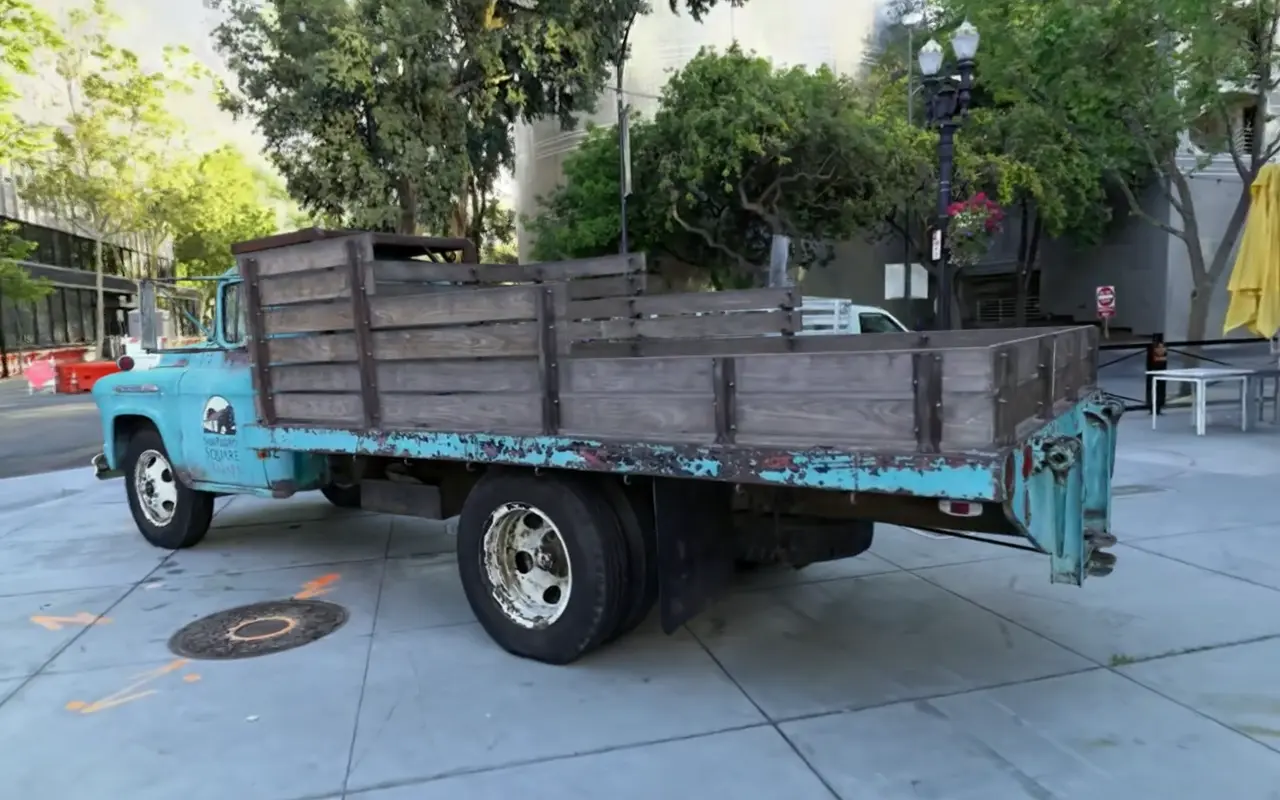
A place you can revisitCompleted scene
A frame from the completed reconstruction shown in the video on this page.
Captured in the re1 research preview.
Describe an event, find a matching recording and inspect what happened. Questions about motion and sequence can lead back to the relevant source video, with time references that make the answer possible to check.
The preview below searches for machines handling packages, opens a matching clip and asks a question about it. The answer identifies the interval it describes. A checked interval supports a claim about that interval; it does not establish what happened throughout the recording.
Recorded response · excerpt
The packaging and sorting area is operating smoothly with multiple conveyor belts and robotic arms functioning as expected.
Source interval0:12–0:20
From capture to a simulated scene
Return to a captured place and inspect it from a different viewpoint. The scene remains available after the recording session, with objects that can be examined individually and environment artifacts that can be carried into simulation work.
The recording above moves through a completed scene. Its visible gaps and incomplete regions are part of the result. Playback shows the viewing experience, not the time needed to prepare the environment.
Using a scene for physical experiments requires more than a convincing image. Scale, contact behavior and material properties need validation for the task.
Work that carries forward
Recordings and prepared scenes remain available across sessions. Researchers can return to earlier evidence or reuse an environment as their experiment develops. The aim is to reduce repeated preparation and make prior observations easier to use.
Resource requirements depend on the capture and the work requested. We have not published system-wide latency or hardware requirements.
Research direction
Our longer-term aim is memory that improves how an agent learns from experience. The current preview covers video recall and captured environments. Connecting this memory to policy learning remains an active research direction.
For a technical preview or research collaboration, send a representative capture, the question you need to answer and the artifact your experiment needs to consume. We are particularly interested in video memory, scene reconstruction and robot-learning workflows.
Other systems
Also here: Colony